 Marketing
Give attention a destination.
Bring the offer and useful customer actions into one mobile campaign page.
- Campaign content and an Action Hub
- WhatsApp, booking, directions and selected actions
- Source-linked URLs and QR sharing
 GoWhere Business
One campaign page to explain the offer, capture useful leads and connect the next WhatsApp response.
Give social posts, WhatsApp campaigns and offline QR codes one useful destination. Choose the actions, forms and configured replies around your campaign brief.
From a clear campaign destination to lead capture and a configured WhatsApp response.
Know where the recorded action started.
Prepare separate source links for Facebook, Instagram, WhatsApp, KOLs and offline placements. Use QR-ready links on flyers, posters or event materials, and ready-to-share text from the Share Kit.
The supplied interface contains illustrative account and campaign data.
Review the destination’s recorded activity, then connect it to the follow-up your team performs.
The image illustrates action analytics. Lead Campaign adds submission review, source information and CSV export. Demo figures are illustrative.
Use the Lead Inbox to review submitted information and sources, then export the records your team needs for follow-up.
Agree the acknowledgement, team notification and selected flow before the campaign launches.
The customer sends the details requested by the campaign.
360connect sends the agreed customer reply through the configured connection.
The team receives the lead details and continues the agreed follow-up.
Workflow illustration. Connection setup, triggers, content and any keyword or poll steps are confirmed in the Engage scope.
Explore 360connect capabilities →Confirm the offer, audience, campaign period and customer action.
Prepare the page, actions, form fields and selected response flow.
Review the content and test the links, form and configured response.
Publish and distribute the source-linked URLs or QR codes.
Review recorded actions, submitted leads and the agreed campaign records.
Confirm campaign content, dates, customer actions, form fields, source links, review access and the selected response workflow. Advertising spend, distribution and custom integrations are scoped with the wider brief.
Custom event and campaign builds from the wider 360Marketing portfolio, with scope agreed separately from GoWhere packages.

Participant details, payment proof, organiser review and WhatsApp updates connected around a custom event workflow.
Explore the custom project →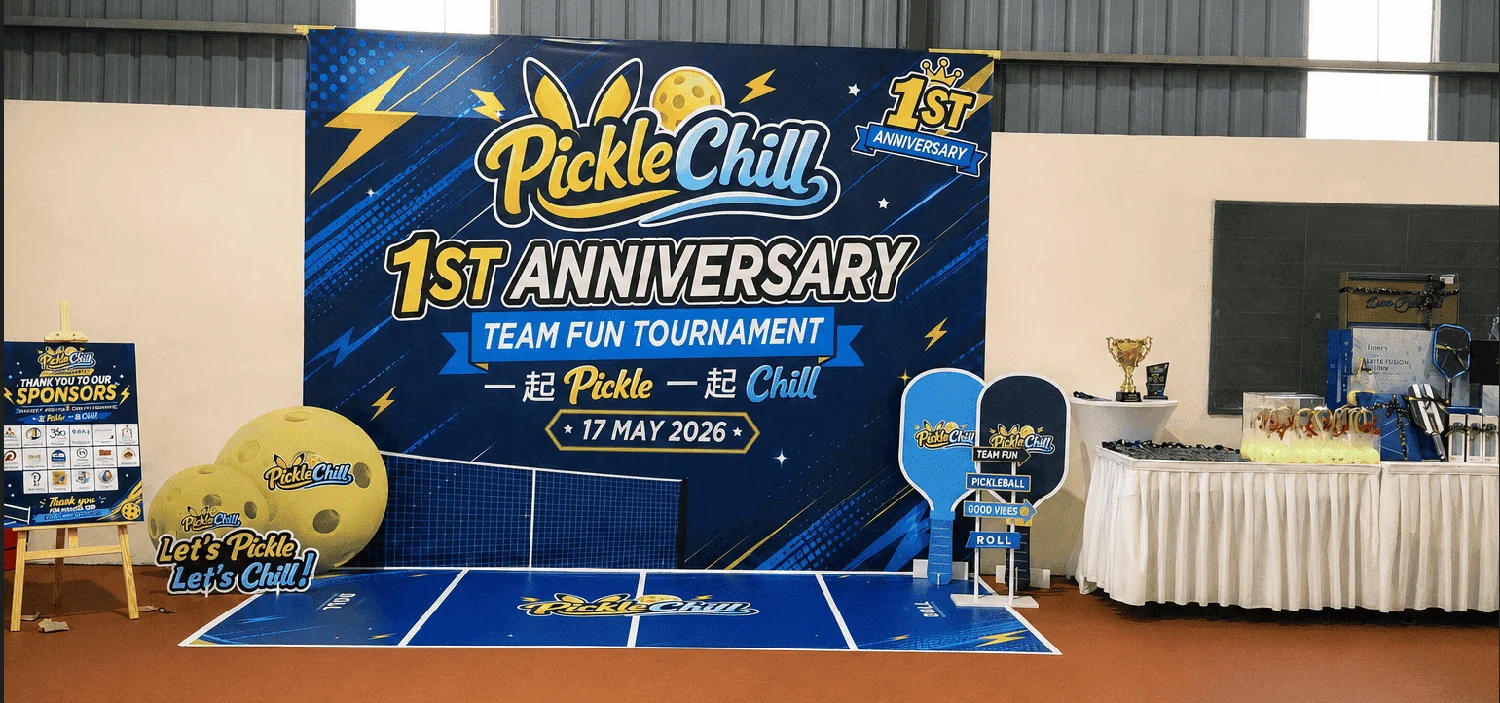
Registration, champion prediction, Chaos Cards, LiveScore and sponsor activation for a real community anniversary.
Explore the custom project →Use a branded contact link and editable destination when the brief needs a focused WhatsApp entry.
Start with Action when the offer needs a page and clear next steps. Choose Lead when you need submitted customer details. Choose Engage when a configured WhatsApp acknowledgement and team notification belong in the same journey.
It records a contact action. A form submission creates a lead record; qualification and sales outcomes need their own evidence or an agreed follow-up connection.
Yes. Use a source-linked URL or QR for each agreed placement. Attribution covers visits and actions that retain the configured source; sharing and other traffic paths can affect that context.
GoWhere records activity on the campaign destination and its configured actions. Advertising delivery, customer conversations and sales systems provide other parts of the picture.
Use the spend entered for the matching channel and period, divided by the recorded lead submissions for that scope. It is a cost per submitted lead, with lead quality and sales outcomes reviewed separately.
The configured WhatsApp response belongs to the agreed Engage scope. Connection setup, message content and any additional workflows are confirmed before launch; ongoing platform or custom implementation requirements are quoted where applicable.
Tell us the audience, campaign period and customer action you need. We’ll help define the page, form and response scope.