Solution Blueprint · Registration Operations

Registration & Participant Management —
without spreadsheet chaos.

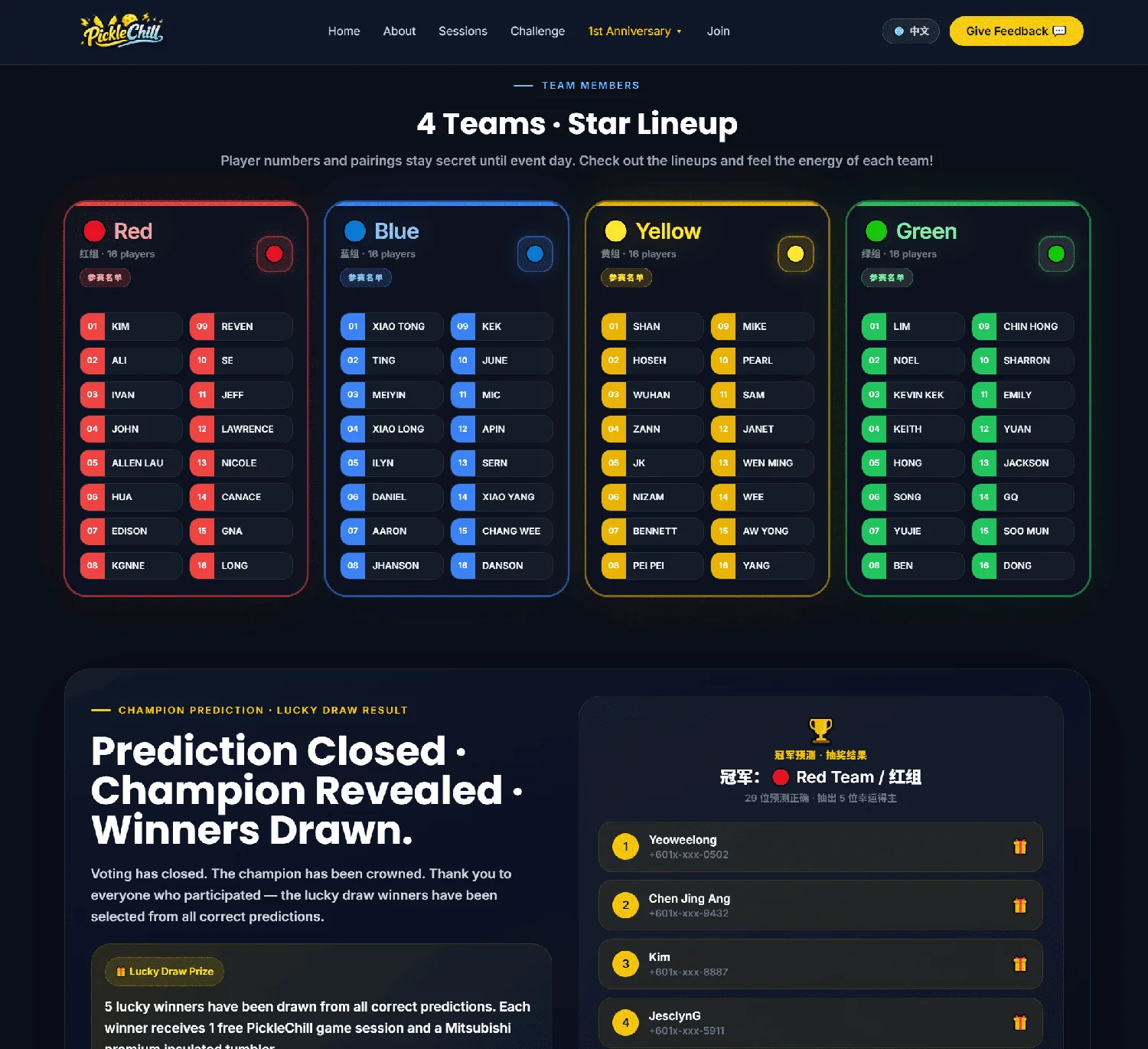
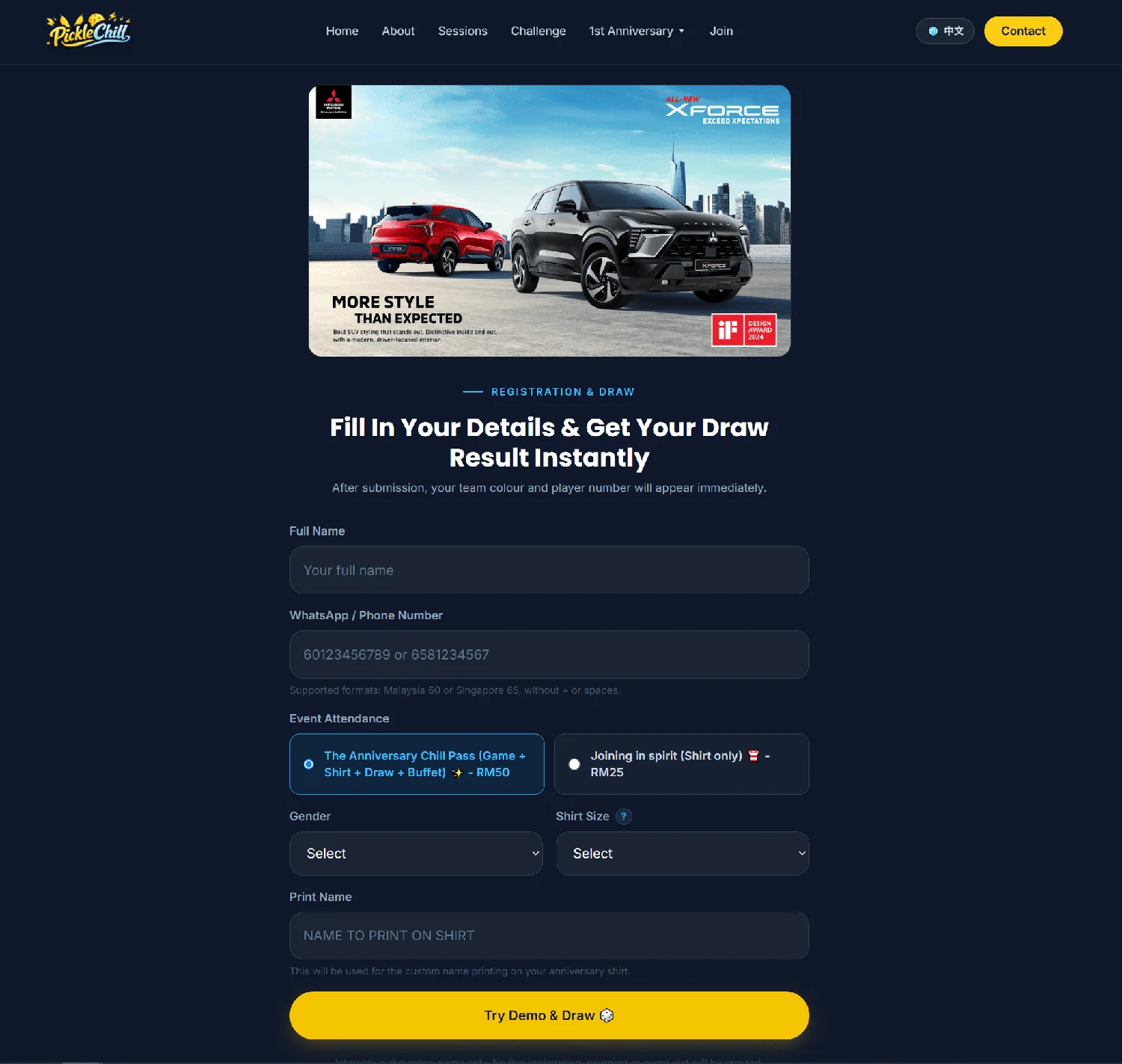
Manage event, contest, booth or participant registration with structured forms, confirmation workflows, auto-numbering, capacity logic, admin visibility and WhatsApp notifications.

Built for event operations: Form → Review → Confirm → Notify → Manage
Why registration gets messy

Registration fails when forms, approvals and notifications are disconnected.

A simple form may collect names — but it does not handle confirmation, numbering, capacity, communication or admin follow-up by itself.

  • Submissions arrive, but confirmation and numbering are handled manually
  • Organizers struggle with duplicates, incomplete details and unclear approval status
  • Capacity or remaining slots are not updated clearly
  • Participants do not receive timely WhatsApp confirmation, reminders or updates

Good registration is not just data collection. It is an operations workflow.

Blueprint

A structured registration workflow

Collect

Capture participant, booth, contest or RSVP details through a clean form.

Confirm

Review, approve, auto-number and notify participants with clear status updates.

Manage

Track capacity, export data and maintain a clean operational record.

Designed for events where registration accuracy and communication matter.

What you get

A registration workflow that organizers can actually manage.

A structured system that turns sign-ups into confirmed, numbered and followable records.

Custom Registration Form

Form fields designed for your event type — participant, contest, booth, RSVP, school fair, tournament or workshop.

Confirmation + Auto-numbering Logic

Confirmation workflow, assigned numbering, status control and cleaner participant records after approval.

Capacity & Slot Management

Support for category limits, participant caps, remaining slot logic or waitlist handling depending on your needs.

WhatsApp Notifications & Admin Export

Participant confirmation, organizer alerts, reminder flows and export-ready data for operational follow-up.

Powered by
360 Marketing (Build) 360connect (Notifications) GoWhere (Entry / Tracking) GamesAdv (Optional)
This is a solution blueprint (outcome-led). Modules may vary based on your event category, approval workflow, capacity requirements and notification needs.
Best for

Events that need clean registration, confirmation and communication.

If manual spreadsheets or chat-based sign-ups are slowing your team down, this blueprint creates order before the event starts.

  • School fairs, charity fairs, open days and community events
  • Contest registration, colouring competitions, sports tournaments and workshops
  • Booth, vendor or exhibitor registration workflows
  • Events that require confirmation before assigning numbers or slots
  • Organizers who need WhatsApp notifications, exports and cleaner admin control
How it works

A 4-step registration operations flow.

Collect the right information, review submissions, confirm participants and keep communication consistent.

Step 1 — Define the registration logic

We map categories, fields, confirmation rules, capacity limits, numbering logic and admin needs.

Logic Fields Rules

Step 2 — Build the form and entry page

Create a clean registration experience connected to your campaign page, QR code or event announcement.

Form QR Entry

Step 3 — Confirm and notify

Review entries, confirm accepted participants, assign numbers or status, then notify through WhatsApp or email flow where needed.

Review Confirm Notify

Step 4 — Manage and export

Keep data export-ready for check-in, operations, reporting or post-event follow-up.

Admin Export Follow-up
Recommended stacks

Choose the registration workflow that matches your complexity.

Start with simple sign-ups or upgrade to confirmation, notifications and participant operations when your event needs more control.

Simple Registration

Form → Thank You Page → Admin Export
Best for simple RSVP, sign-up or interest collection.

Form Export Simple

Confirmed Participant Flow

Form → Review → Confirm → Auto-number
Designed for contests, competitions and controlled participant lists.

Review Confirm Number

WhatsApp Notification Workflow

Form → 360connect Notification → Reminder / Update
Keep participants informed and reduce manual messaging.

Notify Reminder WhatsApp
Most Complete

Event Operations Registration

Campaign Page → Form → Review → Confirm → Notify → Export
Full registration operations for events, contests, booths and community fairs.

Hub Form Confirm Notify Export
FAQ

Common questions

Short answers for organizers who need registration handled properly.

Is this only a Google Form replacement?
No. Forms are only one part. The value is the workflow: confirmation, numbering, capacity logic, notifications, admin export and follow-up.
Can numbering happen only after confirmation?
Yes. The workflow can be designed so numbering or slots are assigned only after an organizer confirms the participant.
Can remaining slots be shown or hidden?
Yes. Capacity logic can be configured based on your preference, such as showing remaining slots only under a certain threshold.
Can WhatsApp notifications be included?
Yes. Notifications can be connected to 360connect for confirmations, organizer alerts, reminders or updates depending on the project scope.
Built for clean event operations.
Registration workflows designed to reduce manual work, improve communication and keep participant data usable.

Ready to make registration easier to manage?

We’ll review your event type, registration categories and confirmation needs before recommending the right workflow.